A 2.8-inch display you design by dragging widgets in the free PixPIO Editor. Flash it over one USB cable, then drive it from your
Arduino, ESP32, PIC or STM32 with short commands. Change the screen live over USB: no SD card, no re-flash.
PixPIO (also written Pix PIO) is a 2.8-inch display made by CURIOUS WORM in Kerala, India, with touch versions: the
PixPIO touch display. You design its screens by dragging widgets in the free PixPIO Editor, which comes with the
PICPIO extension for VS Code. Flash the design over one USB cable, then drive the
PixPIO display from your Arduino, ESP32, PIC or STM32 with short commands: the display does the drawing, so your board needs no display code.
Step-by-step help is in the PixPIO manual (20 languages) and the videos below.
How it works
1. DesignDrag gauges, bars, buttons, charts, icons and text onto the screen in the PixPIO Editor, inside VS Code. About 30 ready widgets.
2. FlashOne click flashes the design to the display over USB. Fonts and pictures go to its onboard flash.
3. Drive itYour board sends short commands over UART, I2C or SPI: set a value, change a text or a colour, switch the page. The display does the drawing.
14 ready projects
Open any of these from Projects in the Editor and flash it in one click. Each comes with an Arduino / ESP32 sketch for the host.
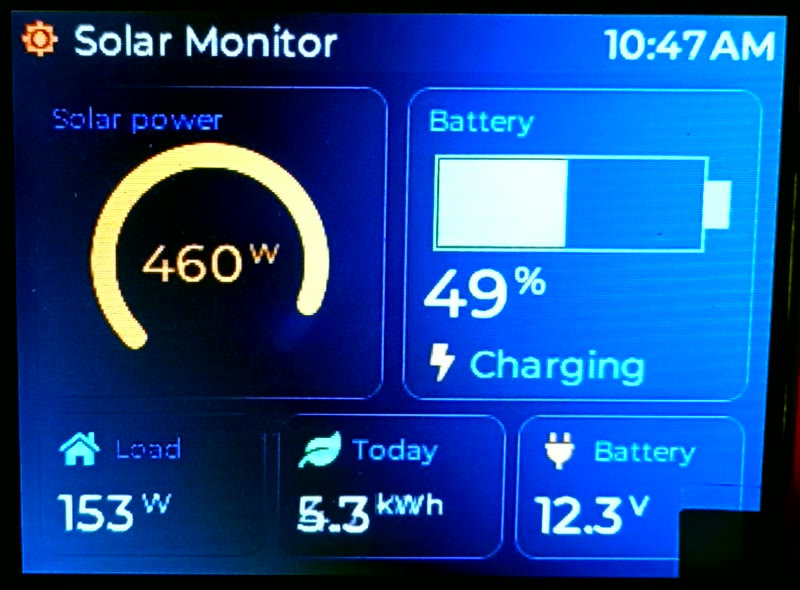
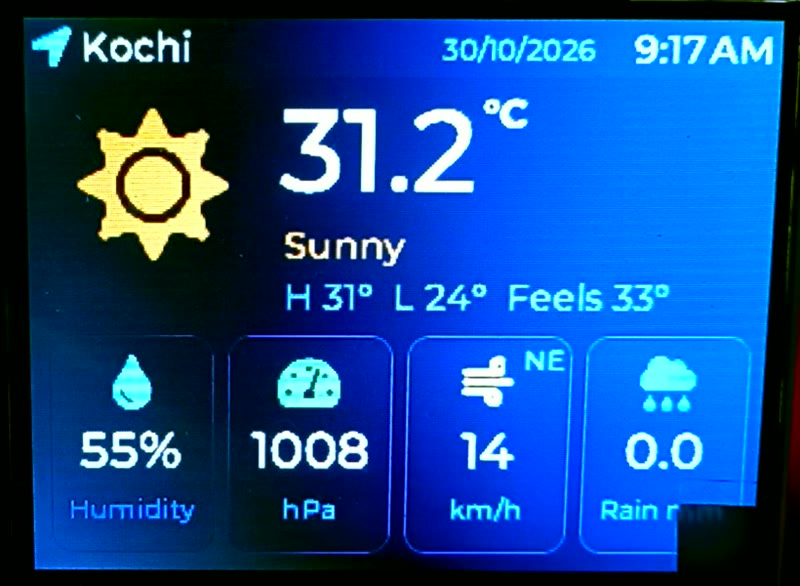
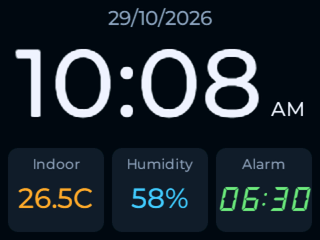
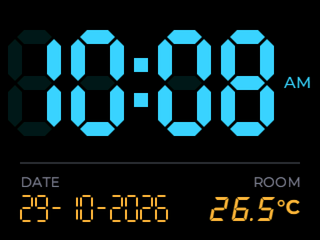
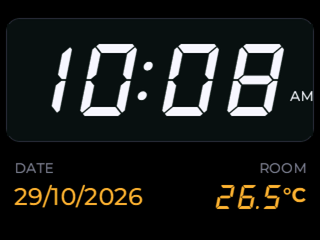
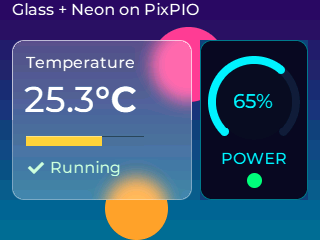
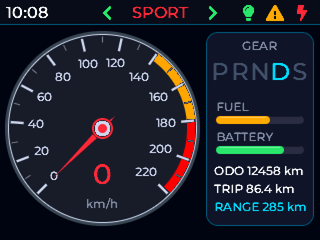
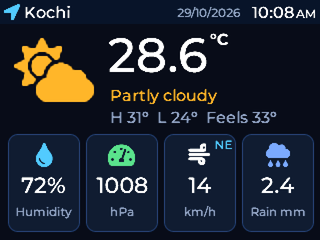
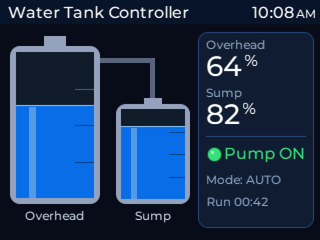
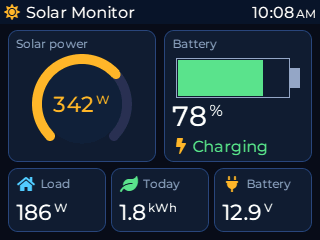
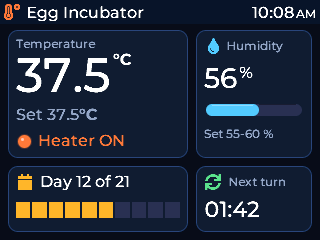
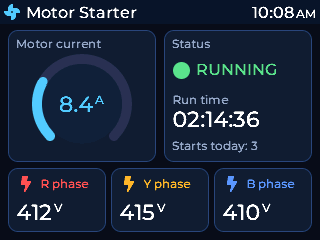
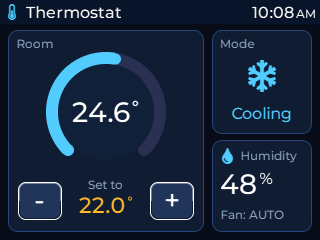
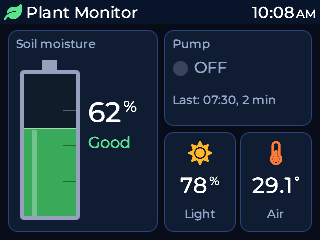
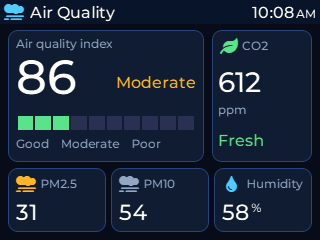
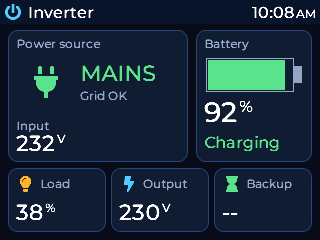
Home ClockBig smooth time with AM / PM, the date, and cards for indoor temperature, humidity and an alarm. A second page shows an analog clock.Digital Clock (LED)LED-style 7-segment digits with faint unlit segments and a blinking colon. Date and room temperature below, and a dim red night page.Digital Clock (Classic)Classic slanted 7-segment digits on a dark panel, with a blinking colon, AM / PM, the date, room temperature and a night page.Glass + NeonA frosted glass card over a colour gradient (temperature, level, status) beside a neon power arc. Shows what PixPIO can draw.Vehicle ClusterA sport bike / car cluster: speedometer whose needle glides to each new speed, P R N D S gear strip, fuel and battery bars, turn signals and warning lamps, odometer, trip and range.Weather StationCity, date and time, a sky icon the host switches (sun, cloud, rain, snow, moon), big temperature with high / low, and cards for humidity, pressure, wind and rain. A second page shows 24 hours of temperature, sunrise, sunset and the UV index.Water Tank ControllerOverhead tank and sump with the new Tank widget (the water turns red when low), a pipe between them, pump ON / OFF lamp, both levels in %, mode and pump run time. The sketch runs the pump automatically.Solar MonitorPanel power on an arc, the battery with its charge and state (charging, discharging, full), and cards for the house load, energy today and battery voltage.Egg IncubatorBig temperature with its set point and the heater lamp, humidity with a bar, the day of 21 and a countdown to the next egg turn. The sketch runs the heater.Motor StarterA three-phase motor panel: current on an arc, a status lamp (stopped, running, trip), run time, starts today and the R / Y / B phase voltages. The sketch trips on single phasing or over current.ThermostatThe room temperature in a ring, the set point between - and + (the board's UP / DOWN buttons), the mode (cooling, heating, idle) as an icon, humidity and the fan. The sketch runs the AC and the heater.Plant MonitorSoil moisture as a Tank (red when dry) with its state, the pump lamp and the last watering, and cards for light and air temperature. The sketch waters the plant by itself.Air QualityThe AQI big with its category in its colour and a green / yellow / red level meter, CO2 with a word, PM2.5, PM10 and humidity. The sketch works out the AQI from PM2.5 and runs an exhaust fan.Inverter / UPSMAINS or BATTERY as the source (icon and word), the input volts, the battery charging or backing up, and cards for the load, the output volts and the backup time left.
2.8-inch display: Lite, 4, 8 and 16 (MB of flash for fonts and pictures), and touch versions 4T, 8T and 16T.
PixPIO ships across India now; worldwide shipping is coming soon.
PixPIO is a 2.8-inch display you design by dragging widgets in the free PixPIO Editor. You flash the design over one USB cable, then drive the display from your Arduino, ESP32, PIC or STM32 with short commands.
Do I need to write display code?
No. The display does the drawing. Your board sends short commands over UART, I2C or SPI: set a value, change a text or a colour, switch the page.
Do I need an SD card to change the screen?
No. One click flashes the design to the display over USB, and you can change the screen live over USB: no SD card, no re-flash. Fonts and pictures go to the onboard flash.
Is the PixPIO Editor free?
Yes. The PixPIO Editor comes with the free PICPIO extension for VS Code, and has about 30 ready widgets and 14 ready projects.
Which PixPIO models are there?
2.8-inch display: Lite, 4, 8 and 16 (MB of flash for fonts and pictures), and the touch versions 4T, 8T and 16T.
Where can I buy PixPIO?
PixPIO ships across India now; worldwide shipping is coming soon. Order on WhatsApp (+91 9946691901) or from the CURIOUS WORM shop.
Is there a PixPIO manual?
Yes. The PixPIO manual is free online, in 20 languages.
PixPIO and PICPIO are made by CURIOUS WORM, Kerala, India.